MQL5 From Scratch: How to Code Your First Expert Advisor

Automating a trading strategy is one of the biggest milestones in a trader’s development. Instead of manually clicking buy and sell, you let a program execute your rules automatically, without fear, greed, or fatigue. In the MetaTrader 5 ecosystem this program is called an Expert Advisor (EA), and it is written in the MQL5 programming language.

This article walks you step by step through coding your first Expert Advisor in MQL5. You will learn:

  • What MQL5 and Expert Advisors are
  • How an EA is structured
  • How to use built-in indicators (Moving Averages)
  • How to open and manage trades from code
  • How to backtest your EA in the Strategy Tester

By the end, you will have a fully working EA implementing a simple Moving Average crossover strategy, ready to study, modify, and expand.


1. What Are MQL5 and Expert Advisors?

MQL5 (MetaQuotes Language 5) is a C-like programming language used inside MetaTrader 5. It is designed specifically for trading tasks:

  • Reading prices, indicators, and account information
  • Placing and managing orders and positions
  • Responding to market events such as ticks, timers, and trade events

With MQL5 you can create:

  • Expert Advisors (EAs) – fully automated trading systems
  • Custom Indicators – your own technical analysis tools
  • Scripts – one-time utilities (e.g., closing all orders)
  • Libraries – reusable code modules

An Expert Advisor is a program that you attach to a chart (symbol + timeframe). Once attached and enabled, it can:

  • Monitor market conditions in real time
  • Generate trading signals
  • Open, modify, and close trades according to predefined rules

It runs continuously as long as your MetaTrader 5 terminal is open and connected to the broker.


2. Tools You Need

To follow this tutorial, you need:

  • A working installation of MetaTrader 5
  • The built-in MetaEditor, which is the development environment for MQL5

2.1. Opening MetaEditor

To open MetaEditor from MetaTrader 5:

  • Press F4 on your keyboard, or
  • Use the menu: Tools → MetaQuotes Language Editor

MetaEditor will open as a separate window. On the left you will see a tree with folders like:

  • Experts – Expert Advisors
  • Indicators – technical indicators
  • Scripts – small one-off programs
  • Include – header files and libraries

Your first EA will be created inside the Experts folder.

3. Lifecycle of an Expert Advisor

MQL5 programs are event-driven. This means you do not write a main() function which runs from top to bottom. Instead, MetaTrader calls specific functions in your EA when events happen.

For Expert Advisors, the three core event handlers are:

FunctionWhen it is calledPurpose
int OnInit()When the EA is attached or recompiledInitialization: set parameters, create indicators, etc.
void OnDeinit(const int reason)When the EA is removed or the terminal shuts downCleanup: release resources, save data if needed
void OnTick()On every new tick (price update)Main trading logic: signals, orders, management

A minimal EA skeleton looks like this:

#property strict

int OnInit()
  {
   // Initialization code
   return(INIT_SUCCEEDED);
  }

void OnDeinit(const int reason)
  {
   // Cleanup code
  }

void OnTick()
  {
   // Main trading logic
  }

In this article, you will see how to fill these functions with real trading logic.


4. Designing a Simple Strategy: Moving Average Crossover

Before coding, we need a clear and mechanical strategy. For a first EA, it’s best to use something simple but realistic.

We’ll implement a classic Moving Average crossover strategy:

4.1. Strategy rules

  • Use two Exponential Moving Averages (EMAs):
    • Fast EMA – e.g., 20 periods
    • Slow EMA – e.g., 50 periods
  • Buy signal:
    • When the fast EMA crosses above the slow EMA
  • Sell signal:
    • When the fast EMA crosses below the slow EMA
  • Only one open position per symbol at a time
  • Each position has:
    • A fixed Stop Loss in points
    • A fixed Take Profit in points

This strategy is not guaranteed to be profitable. Its purpose here is to show how to connect:

  • Indicator calculations
  • Signal detection
  • Order placement and management

in a clear and understandable way.


5. Creating a New Expert Advisor in MetaEditor

Now create a new EA file using the MQL5 wizard.

  1. In MetaEditor, click File → New
  2. Choose “Expert Advisor (template)”
  3. Click Next
  4. Fill in:
    • Name: First_EA
    • Author: any name you like
    • Link: optional (can be left empty)
  5. Click Next, then Finish

MetaEditor generates a basic EA skeleton that includes OnInit, OnDeinit, and OnTick. You will now extend this skeleton.


6. Declaring Input Parameters

Input parameters allow users to configure the EA from the MetaTrader interface without editing the code. They appear in the EA’s “Inputs” tab.

Add the following under the #property lines, before any function definitions:

//--- Input parameters
input double InpLotSize      = 0.10;  // Lot size
input int    InpStopLoss     = 200;   // Stop Loss in points
input int    InpTakeProfit   = 400;   // Take Profit in points
input int    InpFastMAPeriod = 20;    // Fast EMA period
input int    InpSlowMAPeriod = 50;    // Slow EMA period
input ENUM_TIMEFRAMES InpTimeframe = PERIOD_CURRENT; // Timeframe for calculations

Explanation of these parameters:

  • InpLotSize – fixed lot size for each trade
  • InpStopLoss – distance to Stop Loss in points
  • InpTakeProfit – distance to Take Profit in points
  • InpFastMAPeriod – period for the fast EMA
  • InpSlowMAPeriod – period for the slow EMA
  • InpTimeframe – timeframe used for EMA calculation (can be different from chart timeframe if desired)

7. Working with Indicators in MQL5

MQL5 uses indicator handles to work with indicators like Moving Average. A handle is an integer that represents an internal indicator instance.

7.1. Declaring indicator handles and buffers

At the top of the file (global scope), add:

int handleFastMA;
int handleSlowMA;

double fastMA[2];
double slowMA[2];

These variables mean:

  • handleFastMA – handle for the fast EMA
  • handleSlowMA – handle for the slow EMA
  • fastMA[2] – array for the two most recent fast EMA values
  • slowMA[2] – array for the two most recent slow EMA values

7.2. Creating EMA indicators in OnInit()

Inside OnInit(), create the EMAs using iMA():

int OnInit()
  {
   // Create handle for fast EMA
   handleFastMA = iMA(_Symbol, InpTimeframe, InpFastMAPeriod,
                      0, MODE_EMA, PRICE_CLOSE);
   if(handleFastMA == INVALID_HANDLE)
     {
      Print("Error creating fast MA handle");
      return(INIT_FAILED);
     }

   // Create handle for slow EMA
   handleSlowMA = iMA(_Symbol, InpTimeframe, InpSlowMAPeriod,
                      0, MODE_EMA, PRICE_CLOSE);
   if(handleSlowMA == INVALID_HANDLE)
     {
      Print("Error creating slow MA handle");
      return(INIT_FAILED);
     }

   Print("First_EA initialized successfully");
   return(INIT_SUCCEEDED);
  }

7.3. Releasing indicators in OnDeinit()

When the EA is removed, release the indicator handles:

void OnDeinit(const int reason)
  {
   if(handleFastMA != INVALID_HANDLE)
      IndicatorRelease(handleFastMA);

   if(handleSlowMA != INVALID_HANDLE)
      IndicatorRelease(handleSlowMA);

   Print("First_EA deinitialized");
  }

This prevents resource leaks inside the terminal.


8. Reading Indicator Values with CopyBuffer()

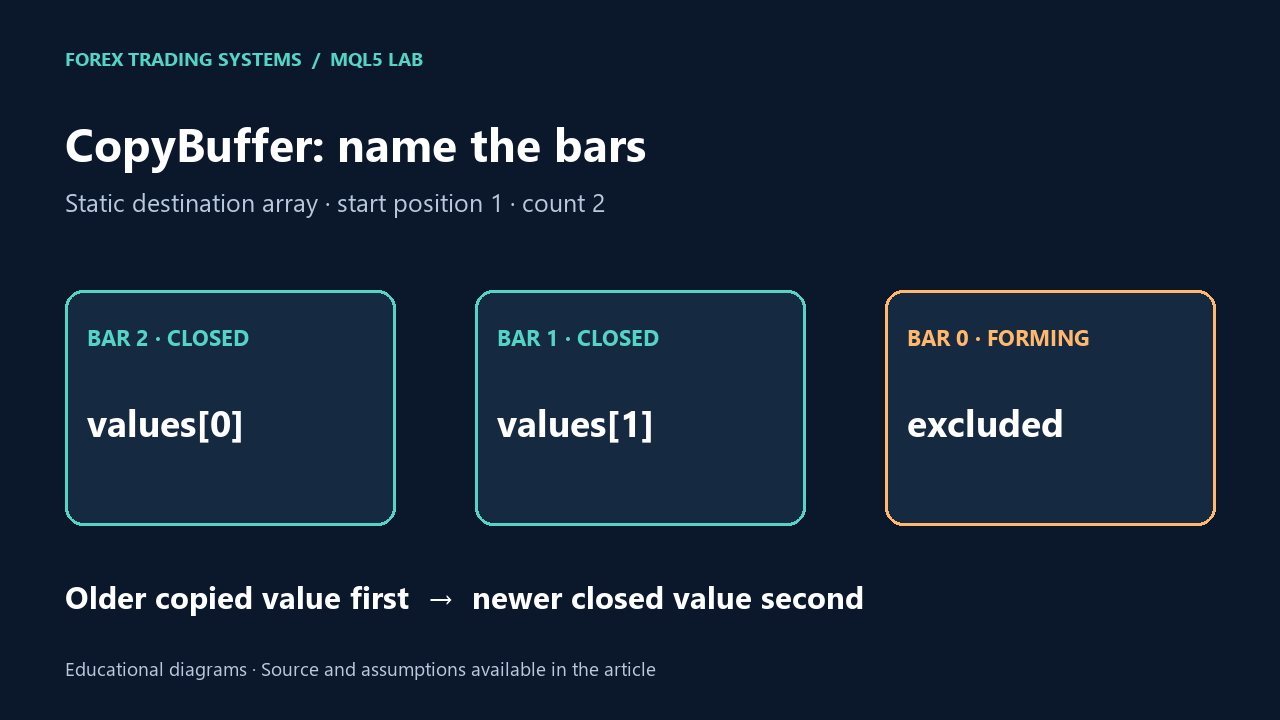
To detect crossovers, we need the previous and current values of both EMAs. We obtain them using CopyBuffer().

8.1. Checking that there are enough bars

Before we request indicator values, we must ensure that there are enough bars for the slow EMA:

if(Bars(_Symbol, InpTimeframe) < InpSlowMAPeriod + 2)
   return;

8.2. Copying EMA values in OnTick()

Inside OnTick(), after the bar count check:

// Copy the two latest values of fast EMA
if(CopyBuffer(handleFastMA, 0, 0, 2, fastMA) <= 0)
  {
   Print("Error copying fast MA buffer");
   return;
  }

// Copy the two latest values of slow EMA
if(CopyBuffer(handleSlowMA, 0, 0, 2, slowMA) <= 0)
  {
   Print("Error copying slow MA buffer");
   return;
  }

// Interpretation:
// fastMA[0] = latest fast EMA value
// fastMA[1] = previous fast EMA value
// slowMA[0] = latest slow EMA value
// slowMA[1] = previous slow EMA value

We now have enough information to determine whether a crossover just occurred.


9. Detecting Buy and Sell Signals

The crossover should be detected at the moment when the relative position of the fast and slow EMAs changes between the previous and current bar.

9.1. Signal conditions

  • Buy signal when:
    • Previously (index 1), fast EMA was below slow EMA: fastMA[1] < slowMA[1]
    • Now (index 0), fast EMA is above slow EMA: fastMA[0] > slowMA[0]
  • Sell signal when:
    • Previously, fast EMA was above slow EMA: fastMA[1] > slowMA[1]
    • Now, fast EMA is below slow EMA: fastMA[0] < slowMA[0]

9.2. Helper functions for signals

To make the code clearer, define two helper functions in the global scope:

bool BuySignal()
  {
   return (fastMA[1] < slowMA[1] && fastMA[0] > slowMA[0]);
  }

bool SellSignal()
  {
   return (fastMA[1] > slowMA[1] && fastMA[0] < slowMA[0]);
  }

These functions assume fastMA and slowMA have already been updated in the current tick.


10. Sending Orders with the CTrade Class

MQL5 offers a convenient class CTrade to handle trading operations.

10.1. Including the trade library

At the top of the file, after the #property lines:

#include <Trade/Trade.mqh>

CTrade trade;

Now you can call:

  • trade.Buy(...) to open buy positions
  • trade.Sell(...) to open sell positions

10.2. Checking for existing positions

To keep the EA simple, it will only maintain one open position per symbol. Define a small helper function:

bool PositionExists(string symbol)
  {
   if(PositionSelect(symbol))
      return(true);
   return(false);
  }

PositionSelect(symbol) returns true if there is at least one open position for the given symbol.


11. Implementing the OnTick() Trading Logic

Now we combine all parts inside OnTick():

  1. Ensure enough bars exist
  2. Copy EMA values
  3. Check whether a position already exists
  4. If a Buy signal appears, open a buy trade
  5. If a Sell signal appears, open a sell trade
void OnTick()
  {
   // 1. Ensure we have enough bars
   if(Bars(_Symbol, InpTimeframe) < InpSlowMAPeriod + 2)
      return;

   // 2. Copy EMA values
   if(CopyBuffer(handleFastMA, 0, 0, 2, fastMA) <= 0)
     {
      Print("Error copying fast MA buffer");
      return;
     }

   if(CopyBuffer(handleSlowMA, 0, 0, 2, slowMA) <= 0)
     {
      Print("Error copying slow MA buffer");
      return;
     }

   // 3. If there is already a position on this symbol, do nothing
   if(PositionExists(_Symbol))
      return;

   double point = _Point;

   // 4. BUY logic
   if(BuySignal())
     {
      double ask = SymbolInfoDouble(_Symbol, SYMBOL_ASK);
      double sl  = ask - InpStopLoss * point;
      double tp  = ask + InpTakeProfit * point;

      bool result = trade.Buy(InpLotSize, _Symbol, ask, sl, tp,
                              "First_EA Buy");
      if(result)
         Print("Buy order sent");
      else
         Print("Buy order failed. Error: ", GetLastError());
     }

   // 5. SELL logic
   if(SellSignal())
     {
      double bid = SymbolInfoDouble(_Symbol, SYMBOL_BID);
      double sl  = bid + InpStopLoss * point;
      double tp  = bid - InpTakeProfit * point;

      bool result = trade.Sell(InpLotSize, _Symbol, bid, sl, tp,
                               "First_EA Sell");
      if(result)
         Print("Sell order sent");
      else
         Print("Sell order failed. Error: ", GetLastError());
     }
  }

This function does not close positions; it only opens one when a new signal appears and no open position exists. Closing positions is handled by the broker when SL or TP levels are hit.


12. Full EA Code Listing

Here is the complete code for the first Expert Advisor, which you can compile and run:

//+------------------------------------------------------------------+
//|                                                   First_EA.mq5   |
//|                   Simple Moving Average Crossover EA             |
//+------------------------------------------------------------------+
#property copyright "Your Name"
#property link      ""
#property version   "1.00"
#property strict

#include <Trade/Trade.mqh>

//--- Input parameters
input double InpLotSize      = 0.10;  // Lot size
input int    InpStopLoss     = 200;   // Stop Loss in points
input int    InpTakeProfit   = 400;   // Take Profit in points
input int    InpFastMAPeriod = 20;    // Fast EMA period
input int    InpSlowMAPeriod = 50;    // Slow EMA period
input ENUM_TIMEFRAMES InpTimeframe = PERIOD_CURRENT;

//--- Global variables
int handleFastMA;
int handleSlowMA;
double fastMA[2];
double slowMA[2];

CTrade trade;

//+------------------------------------------------------------------+
//| Expert initialization function                                   |
//+------------------------------------------------------------------+
int OnInit()
  {
   // Create handle for fast EMA
   handleFastMA = iMA(_Symbol, InpTimeframe, InpFastMAPeriod,
                      0, MODE_EMA, PRICE_CLOSE);
   if(handleFastMA == INVALID_HANDLE)
     {
      Print("Error creating fast MA handle");
      return(INIT_FAILED);
     }

   // Create handle for slow EMA
   handleSlowMA = iMA(_Symbol, InpTimeframe, InpSlowMAPeriod,
                      0, MODE_EMA, PRICE_CLOSE);
   if(handleSlowMA == INVALID_HANDLE)
     {
      Print("Error creating slow MA handle");
      return(INIT_FAILED);
     }

   Print("First_EA initialized successfully");
   return(INIT_SUCCEEDED);
  }

//+------------------------------------------------------------------+
//| Expert deinitialization function                                 |
//+------------------------------------------------------------------+
void OnDeinit(const int reason)
  {
   if(handleFastMA != INVALID_HANDLE)
      IndicatorRelease(handleFastMA);

   if(handleSlowMA != INVALID_HANDLE)
      IndicatorRelease(handleSlowMA);

   Print("First_EA deinitialized");
  }

//+------------------------------------------------------------------+
//| Check if a position exists on the given symbol                   |
//+------------------------------------------------------------------+
bool PositionExists(string symbol)
  {
   if(PositionSelect(symbol))
      return(true);
   return(false);
  }

//+------------------------------------------------------------------+
//| Buy signal: fast EMA crosses above slow EMA                      |
//+------------------------------------------------------------------+
bool BuySignal()
  {
   return (fastMA[1] < slowMA[1] && fastMA[0] > slowMA[0]);
  }

//+------------------------------------------------------------------+
//| Sell signal: fast EMA crosses below slow EMA                     |
//+------------------------------------------------------------------+
bool SellSignal()
  {
   return (fastMA[1] > slowMA[1] && fastMA[0] < slowMA[0]);
  }

//+------------------------------------------------------------------+
//| Expert tick function                                             |
//+------------------------------------------------------------------+
void OnTick()
  {
   // Ensure we have enough bars
   if(Bars(_Symbol, InpTimeframe) < InpSlowMAPeriod + 2)
      return;

   // Copy EMA values
   if(CopyBuffer(handleFastMA, 0, 0, 2, fastMA) <= 0)
     {
      Print("Error copying fast MA buffer");
      return;
     }

   if(CopyBuffer(handleSlowMA, 0, 0, 2, slowMA) <= 0)
     {
      Print("Error copying slow MA buffer");
      return;
     }

   // If there is already a position on this symbol, do nothing
   if(PositionExists(_Symbol))
      return;

   double point = _Point;

   // BUY logic
   if(BuySignal())
     {
      double ask = SymbolInfoDouble(_Symbol, SYMBOL_ASK);
      double sl  = ask - InpStopLoss * point;
      double tp  = ask + InpTakeProfit * point;

      bool result = trade.Buy(InpLotSize, _Symbol, ask, sl, tp,
                              "First_EA Buy");
      if(result)
         Print("Buy order sent");
      else
         Print("Buy order failed. Error: ", GetLastError());
     }

   // SELL logic
   if(SellSignal())
     {
      double bid = SymbolInfoDouble(_Symbol, SYMBOL_BID);
      double sl  = bid + InpStopLoss * point;
      double tp  = bid - InpTakeProfit * point;

      bool result = trade.Sell(InpLotSize, _Symbol, bid, sl, tp,
                               "First_EA Sell");
      if(result)
         Print("Sell order sent");
      else
         Print("Sell order failed. Error: ", GetLastError());
     }
  }
//+------------------------------------------------------------------+

13. Backtesting the EA in the Strategy Tester

After compiling the EA, it is crucial to test how it behaves on historical data.

Typical steps for backtesting:

  1. Select the EA in the Strategy Tester
  2. Choose a symbol (e.g., EURUSD) and timeframe (e.g., H1)
  3. Set the date range (e.g., last 1–2 years)
  4. Choose a testing model (for example, every tick)
  5. Run the test and observe results

When evaluating the results, pay attention to:

  • Balance and equity curves
  • Net profit and maximum drawdown
  • Number of trades and average trade outcome
  • Log messages indicating errors or unusual behavior

Backtests are only simulations, but they are an essential step before forward testing on a demo account.


14. Common Mistakes When Coding Your First EA

Many beginners run into the same problems when writing their first Expert Advisor. Understanding them helps you avoid hours of confusion.

14.1. Opening too many positions

Symptoms:

  • The EA opens many trades in the same direction in a short period of time.

Causes:

  • The signal condition remains true for many ticks, and the EA does not check whether a position already exists.

Prevention:

  • Use PositionExists(_Symbol) or similar logic to restrict the number of open trades.
  • Optionally, add logic to allow only one trade per bar.

14.2. Ignoring order errors

Symptoms:

  • No trades appear, but the EA seems to run.
  • The journal shows occasional error codes, but they are ignored.

Prevention:

  • Always check the return value of trade.Buy() and trade.Sell().
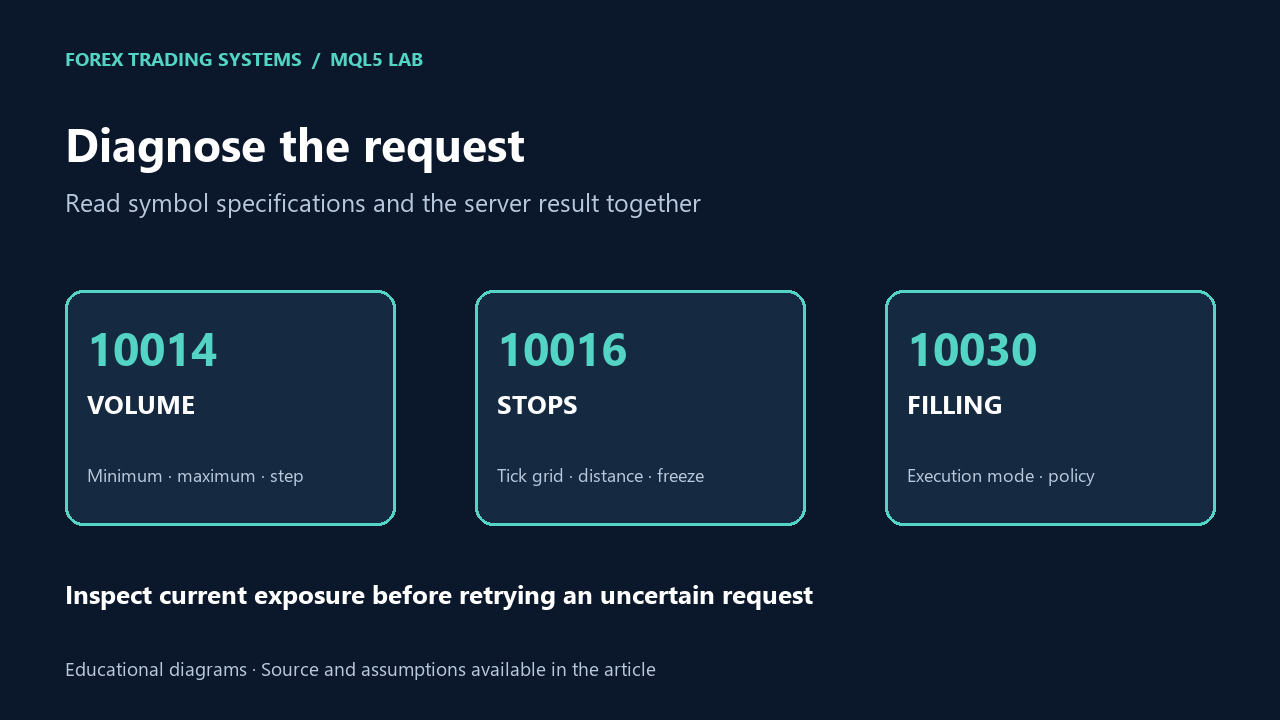
  • When it is false, log GetLastError() to identify the problem (e.g., invalid volume, market closed, etc.).

14.3. Misunderstanding points versus pips

For many forex symbols:

  • _Point is the smallest price increment.
  • On 5-digit quotes, 1 pip = 10 points.

If Stop Loss or Take Profit seem far too large or too small, the EA may be mixing up pips and points. Always check the relationship between points and pips for each symbol.

14.4. Over-reliance on a single backtest

A good backtest on one symbol and timeframe does not guarantee future profitability.

Better practices:

  • Test on multiple symbols
  • Test over different time ranges (including unfavorable market conditions)
  • Use forward demo testing to see how the EA behaves in live conditions

14.5. Skipping demo testing

Even a successful backtest is only a simulation. Real trading involves slippage, execution delays, spread changes, and other factors. Running the EA on a demo account for some time helps reveal real-time issues.

15. Extending and Improving Your First EA

The EA presented here is intentionally simple. It is a starting point you can expand in many directions.

Ideas for improvement:

  1. Additional filters
    • Trade only when a higher timeframe EMA confirms the trend.
    • Block trading during low liquidity hours or around known news times.
  2. Advanced exit rules
    • Trailing stop that moves with price as profit grows.
    • Partial closing of positions when profit reaches a certain level.
    • Break-even logic to move SL to entry after a minimum profit.
  3. Risk-based position sizing
    • Instead of a fixed lot size, calculate lot size as a percentage of account equity per trade.
    • Adjust lot size based on stop loss distance.
  4. Logging and analytics
    • Write trade details to a CSV file for later analysis.
    • Track statistics such as maximum consecutive losses, average win/loss, and so on.

Each new feature you add will deepen your understanding of MQL5 and algorithmic trading concepts.


16. Conclusion – get to work

Building an Expert Advisor from scratch may seem intimidating at first, but the process becomes much clearer when broken into steps. In this article you learned how to:

  • Understand the basic structure and lifecycle of an EA in MQL5
  • Design a simple, rule-based strategy (Moving Average crossover)
  • Create a new EA in MetaEditor and define input parameters
  • Use built-in indicators with iMA and read their values via CopyBuffer()
  • Detect crossover signals and send orders using the CTrade class
  • Compile, backtest, and analyze the behavior of your EA

The full First_EA code is not just a template; it is a working example that you can experiment with, modify, and extend. From here, you can move toward more sophisticated strategies, better risk management, and richer analytics, all built on the same fundamental concepts you have just learned.

By Forex Real Trader

Leave a Reply

Your email address will not be published. Required fields are marked *

You May Also Like