


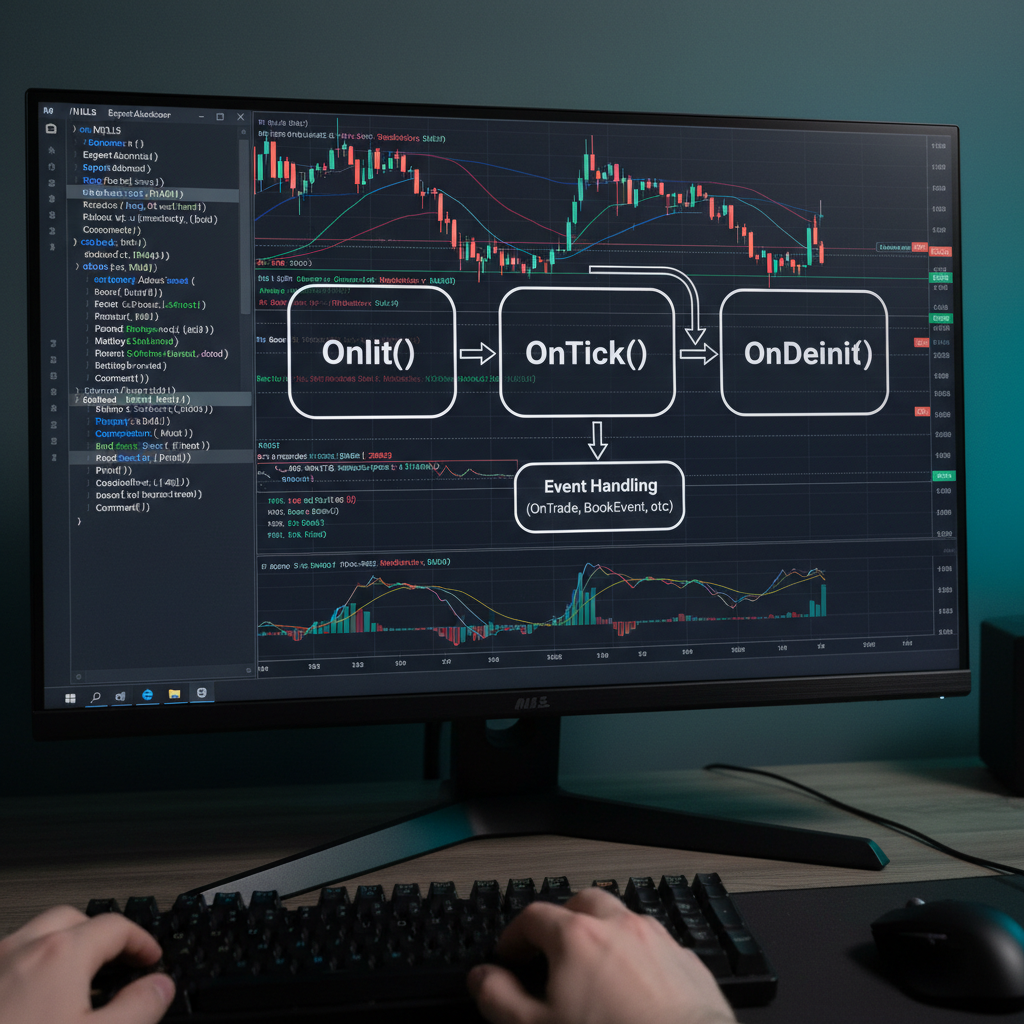
If you understand OnInit, OnDeinit and OnTick, you understand the heart of every MQL5 Expert Advisor.
Everything else – indicators, money management, signals – lives inside or around these three functions.
In this article we’ll go deep:
- What each function really does and when it is called
- What belongs in which function (and what absolutely doesn’t)
- Professional patterns for resource management, order logic and debugging
- Full code examples, including run-once-per-bar logic and clean shutdown
The goal is that, after reading this, you can look at any EA and immediately see whether its lifecycle is designed properly.
1. The Event-Driven Model of MQL5
An MQL5 EA is not a while(true) loop. It’s an event-driven program.
MetaTrader 5 calls your functions whenever something relevant happens.
For now we’ll focus on the three core events:
| Function | Triggered when… | Frequency | Typical responsibilities |
|---|---|---|---|
OnInit() | EA is loaded, parameters changed, or recompiled | Once per load | Initialization, validation, resource allocation |
OnDeinit() | EA is removed, chart is closed, terminal is shut down, etc. | Once per unload | Cleanup, releasing resources, logging final state |
OnTick() | A new tick arrives for the chart’s symbol | Potentially many times per second | Main trading logic, checking signals, managing open trades |
You do not call these functions yourself. MT5 calls them at the right time.
A minimal EA looks like this:
int OnInit()
  {
   // initialization code
   return(INIT_SUCCEEDED);
  }

void OnDeinit(const int reason)
  {
   // cleanup code
  }

void OnTick()
  {
   // trading logic
  }
Now let’s dive into each function and look at professional usage patterns.
2. OnInit: Preparing the EA for Battle
OnInit() is called when:
- You attach the EA to a chart
- You change parameters in the Inputs tab
- You recompile the EA while it’s attached
- The terminal or account reinitializes the EA for internal reasons
Signature:
int OnInit();
It must return an int indicating success or failure.
2.1. Common return codes
| Return value | Meaning | Effect |
|---|---|---|
INIT_SUCCEEDED | Initialization OK | EA starts running and receives ticks |
INIT_FAILED | Fatal error, cannot continue | EA stops; user sees error in Experts log |
INIT_PARAMETERS_INCORRECT | Inputs are invalid (optional custom use) | EA stops; user must fix parameters |
In practice, you either return INIT_SUCCEEDED or INIT_FAILED.INIT_PARAMETERS_INCORRECT is just a constant with specific numeric value; it behaves like failure.
2.2. What should happen in OnInit?
Think of OnInit() as a constructor for your EA:
- Validate input parameters
- Initialize indicator handles (e.g.
iMA,iRSI) - Initialize objects like
CTrade, custom classes, or data structures - Set up file handles, global variables, timers (
EventSetTimer) if needed - Log useful information (symbol, timeframe, key inputs)
Example:
#include <Trade\Trade.mqh>

CTrade trade;

input int    InpMAPeriod = 50;
input double InpLots     = 0.10;

int ma_handle;

int OnInit()
  {
   if(InpMAPeriod <= 0)
     {
      Print("Invalid MA period: ", InpMAPeriod);
      return(INIT_PARAMETERS_INCORRECT);
     }

   if(InpLots <= 0.0)
     {
      Print("Invalid lot size: ", DoubleToString(InpLots, 2));
      return(INIT_PARAMETERS_INCORRECT);
     }

   ma_handle = iMA(_Symbol, _Period, InpMAPeriod, 0, MODE_SMA, PRICE_CLOSE);
   if(ma_handle == INVALID_HANDLE)
     {
      Print("Failed to create iMA. Error: ", GetLastError());
      return(INIT_FAILED);
     }

   trade.SetExpertMagicNumber(123456);

   Print("EA initialized on ", _Symbol, " ", EnumToString(_Period),
         ". MA period=", InpMAPeriod, ", Lots=", InpLots);

   return(INIT_SUCCEEDED);
  }
2.3. What should NOT happen in OnInit?
Two classic mistakes:
- Sending market orders from
OnInit()- Initialization is not the right place to trade.
- If the user attaches the EA accidentally, an order is fired instantly.
- Heavy loops or delays
- Don’t perform long backtests, optimization or thousands of file reads in
OnInit(). - If it takes too long, the EA may look “frozen”.
- Don’t perform long backtests, optimization or thousands of file reads in
Rule of thumb:
If it’s not strictly required for the EA to be ready to trade, it probably doesn’t belong in
OnInit().
3. OnDeinit: Cleaning Up Gracefully
OnDeinit() is called when your EA is about to be unloaded.
Signature:
void OnDeinit(const int reason);
The reason parameter explains why:
3.1. Deinitialization reasons
Typical constants (values may vary but semantics are fixed):
| Constant | Example numeric value | When it happens |
|---|---|---|
REASON_PROGRAM | 0 | You removed the EA manually from the chart |
REASON_REMOVE | 1 | EA was removed because chart was closed |
REASON_RECOMPILE | 2 | EA was recompiled |
REASON_CHARTCHANGE | 3 | Symbol or timeframe of chart changed |
REASON_ACCOUNT | 4 | Account changed (e.g. login/logout) |
REASON_TEMPLATE | 5 | Template with different EA loaded |
REASON_INITFAILED | 6 | OnInit() returned INIT_FAILED or parameters incorrect |
REASON_PARAMETERS | 7 | Inputs changed (EA reinitialized) |
REASON_CLOSE | 8 | Terminal is shutting down |
You can log this to understand what’s happening:
void OnDeinit(const int reason)
  {
   Print("Deinitializing EA. Reason: ", reason);
  }
3.2. What belongs in OnDeinit?
- Release indicator handles with
IndicatorRelease() - Close file handles (
FileClose) - Stop timers (
EventKillTimer) - Optionally close open positions (if your EA policy demands it)
- Final logging (e.g. performance summary, last equity, custom stats)
Example:
void OnDeinit(const int reason)
  {
   if(ma_handle != INVALID_HANDLE)
     {
      IndicatorRelease(ma_handle);
      ma_handle = INVALID_HANDLE;
     }

   Print("EA deinitialized. Reason=", reason,
         ", last equity=", AccountInfoDouble(ACCOUNT_EQUITY));
  }
3.3. Should we close trades in OnDeinit?
This depends on your design philosophy.
- Conservative approach: always close trades when EA is removed.
Good for simple strategies that are not meant to run without the EA. - Infrastructure approach: leave trades open.
Broker/platform should not assume the EA always runs (e.g. VPS failure) and strategy should survive temporary EA downtime.
If you decide to close, do it explicitly:
void CloseAllPositions()
  {
   CTrade trade;
   for(int i = PositionsTotal() - 1; i >= 0; i--)
     {
      ulong ticket = PositionGetTicket(i);
      if(PositionSelectByTicket(ticket))
        {
         if(PositionGetInteger(POSITION_MAGIC) == 123456 &&
            PositionGetString(POSITION_SYMBOL) == _Symbol)
           {
            trade.PositionClose(ticket);
           }
        }
     }
  }

void OnDeinit(const int reason)
  {
   if(reason == REASON_CLOSE || reason == REASON_REMOVE)
      CloseAllPositions();
  }
Note the check on reason – you might not want to liquidate positions on simple parameter changes.
4. OnTick: Where the Trading Logic Lives
OnTick() is called every time a new tick arrives for the chart’s symbol.
Signature:
void OnTick();
Inside OnTick() you typically:
- Read market data (price, indicators, tick volume, etc.)
- Update signals
- Manage open positions (move SL, take partial profits, etc.)
- Open/close orders according to your strategy rules
- Apply filters (spread, time of day, news, etc.)

4.1. Basic OnTick template
A clean pattern is:
void OnTick()
  {
   // 1. Basic guards
   if(!IsTradingAllowed())
      return;

   if(!RefreshRates())
      return;

   // 2. Optional: run once per bar
   if(!IsNewBar())
      return;

   // 3. Update indicators / read values
   if(!UpdateIndicators())
      return;

   // 4. Generate signals
   int signal = GetSignal();

   // 5. Manage existing positions
   ManageOpenPositions();

   // 6. Open new positions if appropriate
   ExecuteSignal(signal);
  }
We’ll break these steps down.
5. Guards and Environment Checks in OnTick
5.1. Trading allowed?
You may want to skip trading if:
- AutoTrading is disabled
- Account is not tradeable
- Symbol is in “close only” mode
- Market is closed
Example helper:
bool IsTradingAllowed()
  {
   if(!TerminalInfoInteger(TERMINAL_TRADE_ALLOWED))
      return(false);

   if(!AccountInfoInteger(ACCOUNT_TRADE_ALLOWED))
      return(false);

   if(SymbolInfoInteger(_Symbol, SYMBOL_TRADE_MODE) == SYMBOL_TRADE_MODE_DISABLED)
      return(false);

   return(true);
  }
5.2. RefreshRates
RefreshRates() forces an update of bid/ask quotes.
if(!RefreshRates())
  {
   Print("RefreshRates failed. Error: ", GetLastError());
   return;
  }

double bid = SymbolInfoDouble(_Symbol, SYMBOL_BID);
double ask = SymbolInfoDouble(_Symbol, SYMBOL_ASK);
6. Running Logic Once Per Bar (Not Every Tick)
If you calculate indicators on the current timeframe, you often want to run main logic once per new bar, not every tick.
This reduces noise and CPU usage.
6.1. Using static last-bar time
bool IsNewBar()
  {
   static datetime last_bar_time = 0;
   datetime current_bar_time = iTime(_Symbol, _Period, 0);

   if(current_bar_time == 0)
      return(false);

   if(current_bar_time != last_bar_time)
     {
      last_bar_time = current_bar_time;
      return(true);
     }

   return(false);
  }
Now in OnTick():
void OnTick()
  {
   if(!IsNewBar())
      return;

   // main logic here executes once per bar
  }
This pattern is extremely common in professional EAs.
7. Indicators and Signals inside OnTick
You usually don’t create indicators in OnTick() – that belongs to OnInit().
But you read their values here.
7.1. Example: Reading MA and RSI
In OnInit:
int ma_handle;
int rsi_handle;

int OnInit()
  {
   ma_handle  = iMA(_Symbol, _Period, 50, 0, MODE_EMA, PRICE_CLOSE);
   rsi_handle = iRSI(_Symbol, _Period, 14, PRICE_CLOSE);

   if(ma_handle == INVALID_HANDLE || rsi_handle == INVALID_HANDLE)
      return(INIT_FAILED);

   return(INIT_SUCCEEDED);
  }
Helper to get values:
bool UpdateIndicators(double &ma, double &rsi)
  {
   double buf_ma[1], buf_rsi[1];

   if(CopyBuffer(ma_handle,  0, 0, 1, buf_ma)  != 1) return(false);
   if(CopyBuffer(rsi_handle, 0, 0, 1, buf_rsi) != 1) return(false);

   ma  = buf_ma[0];
   rsi = buf_rsi[0];

   return(true);
  }
Usage in OnTick:
void OnTick()
  {
   if(!IsNewBar())
      return;

   double ma, rsi;
   if(!UpdateIndicators(ma, rsi))
      return;

   int signal = GetSignal(ma, rsi);
   ExecuteSignal(signal);
  }
7.2. Signal function example
enum SignalType
  {
   SIGNAL_NONE = 0,
   SIGNAL_BUY  = 1,
   SIGNAL_SELL = -1
  };

SignalType GetSignal(double ma, double rsi)
  {
   double price = SymbolInfoDouble(_Symbol, SYMBOL_CLOSE);

   // Simple example:
   // price above MA and RSI crossing above 50 -> BUY
   // price below MA and RSI crossing below 50 -> SELL
   static double last_rsi = 50.0;

   SignalType signal = SIGNAL_NONE;

   if(price > ma && last_rsi <= 50.0 && rsi > 50.0)
      signal = SIGNAL_BUY;
   else if(price < ma && last_rsi >= 50.0 && rsi < 50.0)
      signal = SIGNAL_SELL;

   last_rsi = rsi;
   return(signal);
  }
8. Position Management inside OnTick
Good EAs separate signal generation from order execution.
8.1. Checking current positions
int GetPositionDirection()
  {
   for(int i = PositionsTotal() - 1; i >= 0; i--)
     {
      ulong ticket = PositionGetTicket(i);
      if(PositionSelectByTicket(ticket))
        {
         if(PositionGetString(POSITION_SYMBOL) == _Symbol &&
            PositionGetInteger(POSITION_MAGIC)  == 123456)
           {
            long type = PositionGetInteger(POSITION_TYPE);
            if(type == POSITION_TYPE_BUY)  return(1);
            if(type == POSITION_TYPE_SELL) return(-1);
           }
        }
     }
   return(0); // no position
  }
8.2. Executing signals
CTrade trade;

void ExecuteSignal(SignalType signal)
  {
   int pos_dir = GetPositionDirection();

   // no signal or same direction -> nothing to do
   if(signal == SIGNAL_NONE || (signal == SIGNAL_BUY && pos_dir == 1) ||
      (signal == SIGNAL_SELL && pos_dir == -1))
      return;

   // if opposite position exists, close it
   if((signal == SIGNAL_BUY && pos_dir == -1) ||
      (signal == SIGNAL_SELL && pos_dir == 1))
     {
      ClosePositions();
     }

   // open new position
   OpenPosition(signal);
  }

void ClosePositions()
  {
   for(int i = PositionsTotal() - 1; i >= 0; i--)
     {
      ulong ticket = PositionGetTicket(i);
      if(PositionSelectByTicket(ticket))
        {
         if(PositionGetString(POSITION_SYMBOL) == _Symbol &&
            PositionGetInteger(POSITION_MAGIC)  == 123456)
           {
            trade.PositionClose(ticket);
           }
        }
     }
  }

void OpenPosition(SignalType signal)
  {
   double sl, tp;
   double lots = 0.10;

   // simple example: fixed SL/TP of 100/200 pips
   if(!CalculateSLTP(signal, 100, 200, sl, tp))
      return;

   trade.SetExpertMagicNumber(123456);

   if(signal == SIGNAL_BUY)
      trade.Buy(lots, _Symbol, 0.0, sl, tp, "EA Buy");
   else if(signal == SIGNAL_SELL)
      trade.Sell(lots, _Symbol, 0.0, sl, tp, "EA Sell");
  }
Helper to compute SL/TP:
bool CalculateSLTP(SignalType signal, int sl_pips, int tp_pips,
                   double &sl, double &tp)
  {
   double price = (signal == SIGNAL_BUY)
                  ? SymbolInfoDouble(_Symbol, SYMBOL_ASK)
                  : SymbolInfoDouble(_Symbol, SYMBOL_BID);

   double point     = SymbolInfoDouble(_Symbol, SYMBOL_POINT);
   int    digits    = (int)SymbolInfoInteger(_Symbol, SYMBOL_DIGITS);
   double pip       = (digits == 3 || digits == 5) ? 10 * point : point;
   double sl_points = sl_pips * pip;
   double tp_points = tp_pips * pip;

   if(signal == SIGNAL_BUY)
     {
      sl = price - sl_points;
      tp = price + tp_points;
     }
   else if(signal == SIGNAL_SELL)
     {
      sl = price + sl_points;
      tp = price - tp_points;
     }
   else
      return(false);

   return(true);
  }
This demonstrates how OnTick orchestrates everything: signal, position state, and order execution.
9. Putting It Together: A Lifecycle Skeleton EA
Here’s a compact “skeleton” that shows how OnInit, OnDeinit, and OnTick work together.
It doesn’t implement a full strategy, but it is structurally correct.
//+------------------------------------------------------------------+
//|   LifecycleSkeletonEA.mq5                                        |
//+------------------------------------------------------------------+
#property strict
#include <Trade\Trade.mqh>

CTrade trade;

//--- inputs
input int      InpMagic     = 123456;
input double   InpLots      = 0.10;
input int      InpMAPeriod  = 50;
input int      InpSlPips    = 100;
input int      InpTpPips    = 200;

//--- globals
int ma_handle;

//--- signals
enum SignalType { SIGNAL_NONE = 0, SIGNAL_BUY = 1, SIGNAL_SELL = -1 };

//+------------------------------------------------------------------+
int OnInit()
  {
   if(InpMAPeriod <= 0)
     {
      Print("Invalid MA period.");
      return(INIT_PARAMETERS_INCORRECT);
     }

   ma_handle = iMA(_Symbol, _Period, InpMAPeriod, 0, MODE_SMA, PRICE_CLOSE);
   if(ma_handle == INVALID_HANDLE)
     {
      Print("Failed to create iMA. Error: ", GetLastError());
      return(INIT_FAILED);
     }

   trade.SetExpertMagicNumber(InpMagic);
   Print("EA initialized on ", _Symbol, " ", EnumToString(_Period));
   return(INIT_SUCCEEDED);
  }
//+------------------------------------------------------------------+
void OnDeinit(const int reason)
  {
   if(ma_handle != INVALID_HANDLE)
      IndicatorRelease(ma_handle);

   Print("EA deinitialized. Reason=", reason);
  }
//+------------------------------------------------------------------+
void OnTick()
  {
   if(!IsTradingAllowed())
      return;

   if(!IsNewBar())
      return;

   double price = SymbolInfoDouble(_Symbol, SYMBOL_CLOSE);
   double ma;

   if(!GetMA(ma))
      return;

   SignalType sig = GetSignal(price, ma);
   ExecuteSignal(sig);
  }
//+------------------------------------------------------------------+
bool IsTradingAllowed()
  {
   if(!TerminalInfoInteger(TERMINAL_TRADE_ALLOWED)) return(false);
   if(!AccountInfoInteger(ACCOUNT_TRADE_ALLOWED))   return(false);
   return(true);
  }
//+------------------------------------------------------------------+
bool IsNewBar()
  {
   static datetime last_bar_time = 0;
   datetime current_bar_time = iTime(_Symbol, _Period, 0);

   if(current_bar_time != last_bar_time)
     {
      last_bar_time = current_bar_time;
      return(true);
     }
   return(false);
  }
//+------------------------------------------------------------------+
bool GetMA(double &ma)
  {
   double buf[1];
   if(CopyBuffer(ma_handle, 0, 0, 1, buf) != 1)
      return(false);
   ma = buf[0];
   return(true);
  }
//+------------------------------------------------------------------+
SignalType GetSignal(double price, double ma)
  {
   if(price > ma) return(SIGNAL_BUY);
   if(price < ma) return(SIGNAL_SELL);
   return(SIGNAL_NONE);
  }
//+------------------------------------------------------------------+
int GetPositionDirection()
  {
   for(int i = PositionsTotal() - 1; i >= 0; i--)
     {
      ulong ticket = PositionGetTicket(i);
      if(PositionSelectByTicket(ticket))
        {
         if(PositionGetString(POSITION_SYMBOL) == _Symbol &&
            PositionGetInteger(POSITION_MAGIC)  == InpMagic)
           {
            long type = PositionGetInteger(POSITION_TYPE);
            if(type == POSITION_TYPE_BUY)  return(1);
            if(type == POSITION_TYPE_SELL) return(-1);
           }
        }
     }
   return(0);
  }
//+------------------------------------------------------------------+
void ExecuteSignal(SignalType sig)
  {
   int pos_dir = GetPositionDirection();

   if(sig == SIGNAL_NONE) return;

   if((sig == SIGNAL_BUY  && pos_dir == 1) ||
      (sig == SIGNAL_SELL && pos_dir == -1))
      return; // already aligned

   if(pos_dir != 0)
      ClosePositions();

   OpenPosition(sig);
  }
//+------------------------------------------------------------------+
void ClosePositions()
  {
   for(int i = PositionsTotal() - 1; i >= 0; i--)
     {
      ulong ticket = PositionGetTicket(i);
      if(PositionSelectByTicket(ticket))
        {
         if(PositionGetString(POSITION_SYMBOL) == _Symbol &&
            PositionGetInteger(POSITION_MAGIC)  == InpMagic)
           {
            trade.PositionClose(ticket);
           }
        }
     }
  }
//+------------------------------------------------------------------+
bool CalculateSLTP(SignalType sig, double &sl, double &tp)
  {
   double price = (sig == SIGNAL_BUY)
                  ? SymbolInfoDouble(_Symbol, SYMBOL_ASK)
                  : SymbolInfoDouble(_Symbol, SYMBOL_BID);

   double point  = SymbolInfoDouble(_Symbol, SYMBOL_POINT);
   int    digits = (int)SymbolInfoInteger(_Symbol, SYMBOL_DIGITS);
   double pip    = (digits == 3 || digits == 5) ? 10 * point : point;

   double sl_dist = InpSlPips * pip;
   double tp_dist = InpTpPips * pip;

   if(sig == SIGNAL_BUY)
     {
      sl = price - sl_dist;
      tp = price + tp_dist;
     }
   else if(sig == SIGNAL_SELL)
     {
      sl = price + sl_dist;
      tp = price - tp_dist;
     }
   else
      return(false);

   return(true);
  }
//+------------------------------------------------------------------+
void OpenPosition(SignalType sig)
  {
   double sl, tp;
   if(!CalculateSLTP(sig, sl, tp))
      return;

   if(sig == SIGNAL_BUY)
      trade.Buy(InpLots, _Symbol, 0.0, sl, tp, "LifecycleEA Buy");
   else if(sig == SIGNAL_SELL)
      trade.Sell(InpLots, _Symbol, 0.0, sl, tp, "LifecycleEA Sell");
  }
//+------------------------------------------------------------------+
This EA isn’t meant as a profitable system; it’s a reference implementation showing how OnInit, OnDeinit and OnTick cooperate.
10. Debugging and Logging Best Practices
These lifecycle functions are also where you plug in logging and diagnostics.
10.1. Helpful debug patterns
- Log initialization with inputs:
PrintFormat("Init EA on %s %s | MA=%d Lots=%.2f",
            _Symbol, EnumToString(_Period), InpMAPeriod, InpLots);
- Log deinit reason and last known stats:
PrintFormat("Deinit reason=%d | equity=%.2f | balance=%.2f",
            reason,
            AccountInfoDouble(ACCOUNT_EQUITY),
            AccountInfoDouble(ACCOUNT_BALANCE));
- Use
Print(__FUNCTION__,": message")inside helpers to see which function logged the message.
10.2. Avoid spamming the log
Remember that OnTick() may run thousands of times per day.
Only log important events (e.g. new bar, order opened/closed, errors).
Bad pattern:
void OnTick()
  {
   Print("OnTick called"); // will spam log
  }
Good pattern: log only when conditions change (e.g. new signal or new bar).
11. Typical Lifecycle Pitfalls (and How to Avoid Them)
11.1. Creating indicators in OnTick
Some beginners do:
void OnTick()
  {
   int ma_handle = iMA(_Symbol, _Period, 50, 0, MODE_SMA, PRICE_CLOSE);
   // ...
  }
This creates a new indicator instance on every tick, quickly exhausting resources.
Fix: create handles once in OnInit(), reuse them, release in OnDeinit().
11.2. Using global state without reset
Remember that OnInit() may be called multiple times (e.g. when parameters change).
If you use static or global variables to store state, make sure they are coherent after reinit.
Pattern:
double g_last_equity = 0.0;

int OnInit()
  {
   g_last_equity = AccountInfoDouble(ACCOUNT_EQUITY);
   // ...
  }
11.3. Heavy logic in OnTick
Complex calculations, disk I/O or long loops in OnTick() can:
- Slow down the terminal
- Cause missed ticks
- Make backtests extremely slow
Strategies:
- Move rare tasks to
OnTimer()instead ofOnTick() - Cache indicator results
- Use once-per-bar logic for anything that doesn’t need tick-level granularity
12. Conclusion
OnInit, OnDeinit, and OnTick are more than just required boilerplate.
They define the lifecycle of your Expert Advisor:
OnInit()is the constructor – validate parameters, allocate resources, prepare to trade.OnDeinit()is the destructor – clean up, possibly close trades, log final state.OnTick()is the engine – called every time the market moves, orchestrating signal logic and order management.
When these three are designed cleanly:
- Your EA is reliable (no hidden resource leaks, predictable behaviour)
- Your codebase is maintainable (clear separation of concerns)
- Debugging and performance tuning become much easier
From here, any additional sophistication – multi-symbol portfolios, advanced money management, news filters, machine learning – still hangs on this same lifecycle.
If you’d like next, I can:
- Take one of your existing EAs and refactor its lifecycle using the patterns above, or
- Design a template EA specifically tailored to your coding style and risk management rules, ready to be reused across multiple strategies.