Technical revision: 1 October 2026 · Educational material
When a trade request fails, inspect the server return code and the request values together. A generic “order failed” message hides whether the issue is volume, protective prices, execution policy or something else. Blind retries can create a new problem if the original response was uncertain.
Read the server result
CTrade method returns and ResultRetcode describe different layers. Log the method result, numeric server code, its description, symbol, requested volume and prices. A request reported as placed is not automatically a completed market fill.
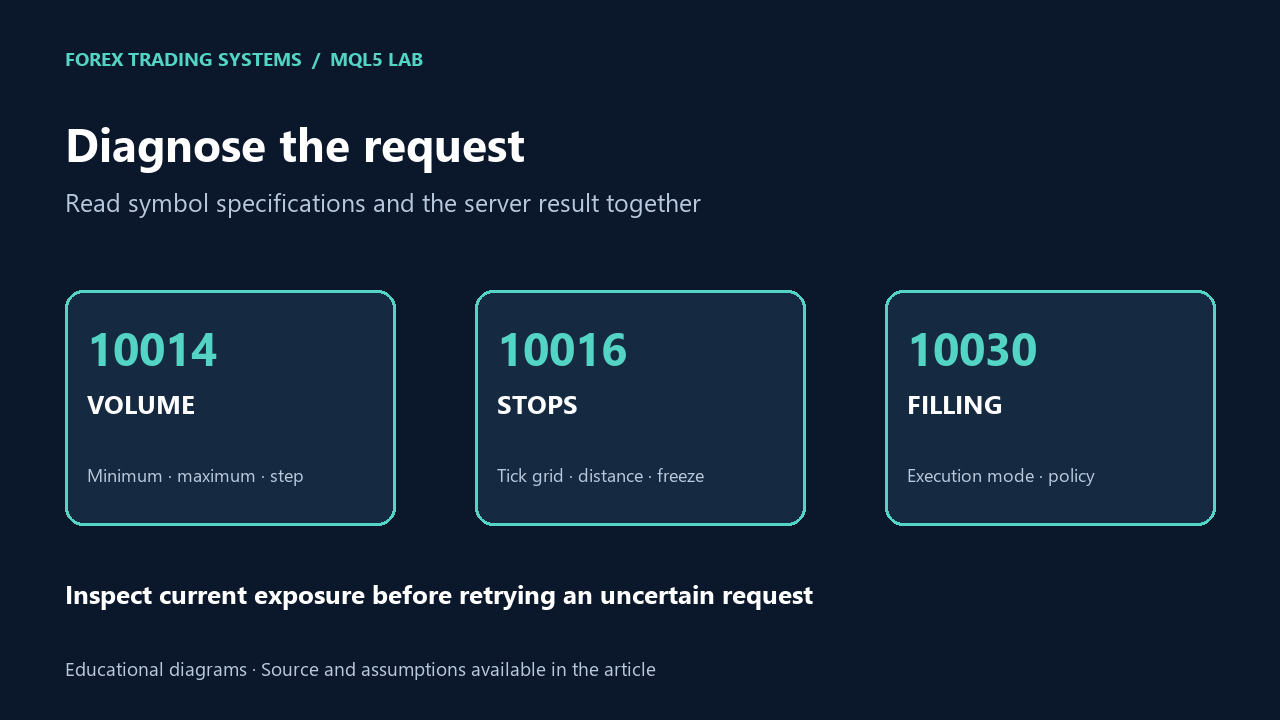
10014: invalid volume
Check the requested volume against SYMBOL_VOLUME_MIN, SYMBOL_VOLUME_MAX and SYMBOL_VOLUME_STEP. Also consider aggregate symbol volume limits and current exposure. A two-decimal rounding function does not support every contract specification.
In a risk-based entry, round downward and recalculate the estimated loss. If the minimum permitted volume is larger than the budget allows, skip the entry. Increasing volume to resolve the rejection would change the risk policy.
10016: invalid stops
Check stop direction, distance from the current relevant quote, the reported stops level and tick-size grid. A buy enters around ask but its protective levels must be checked against the applicable market side; a spread change can invalidate a distance that looked sufficient moments earlier.
For modifications, inspect the freeze level too. A frozen request may use code 10029. Preserve the existing target when modifying only the stop, and log the values you actually submitted. Do not routinely remove protection to make an entry succeed.
10030: invalid filling
A filling policy must be compatible with the symbol’s execution mode and supported flags. Hard-coding IOC for every instrument can fail. The educational EA uses SetTypeFillingBySymbol and checks its result during initialization.
If execution still fails, log the reported execution mode and filling flags. Do not repeatedly switch policies without understanding the contract and whether an earlier request has already created exposure.
Run a read-only trade diagnostic
#property strict
#property version "1.00"
#property script_show_inputs
// Does not send, close or modify orders. Selects the requested Market Watch symbol.
input string InpSymbol="";
void OnStart()
{
   string symbol=(InpSymbol=="" ? _Symbol : InpSymbol);
   if(!SymbolSelect(symbol,true))
   {
      Print("Cannot select symbol: ",symbol);
      return;
   }
   MqlTick tick;
   if(!SymbolInfoTick(symbol,tick))
   {
      Print("No quote available for ",symbol);
      return;
   }
   double point=SymbolInfoDouble(symbol,SYMBOL_POINT);
   Print("Symbol=",symbol," account currency=",AccountInfoString(ACCOUNT_CURRENCY));
   Print("Digits=",SymbolInfoInteger(symbol,SYMBOL_DIGITS),
         " point=",DoubleToString(point,8),
         " tick size=",DoubleToString(SymbolInfoDouble(symbol,SYMBOL_TRADE_TICK_SIZE),8));
   Print("Volume min=",DoubleToString(SymbolInfoDouble(symbol,SYMBOL_VOLUME_MIN),8),
         " max=",DoubleToString(SymbolInfoDouble(symbol,SYMBOL_VOLUME_MAX),8),
         " step=",DoubleToString(SymbolInfoDouble(symbol,SYMBOL_VOLUME_STEP),8));
   Print("Stops level (points)=",SymbolInfoInteger(symbol,SYMBOL_TRADE_STOPS_LEVEL),
         " freeze level (points)=",SymbolInfoInteger(symbol,SYMBOL_TRADE_FREEZE_LEVEL));
   Print("Execution mode=",SymbolInfoInteger(symbol,SYMBOL_TRADE_EXEMODE),
         " filling flags=",SymbolInfoInteger(symbol,SYMBOL_FILLING_MODE));
   Print("Bid=",DoubleToString(tick.bid,8)," ask=",DoubleToString(tick.ask,8),
         " spread (points)=",DoubleToString(point>0.0 ? (tick.ask-tick.bid)/point : 0.0,2));
}
This script does not submit or modify trades. It can select the symbol into Market Watch, then prints a current specification/quote snapshot. Install it under MQL5/Scripts/FTS-Learning, compile and inspect the Experts/Journal output.
Use a repeatable debugging sequence
- Save the exact code, request values and account/symbol context.
- Refresh the quote and inspect the specification before reconstructing the request.
- Check the sizing and tick-grid calculations with a small numerical example.
- Inspect current positions/orders/deals before deciding whether a retry is safe.
- Reproduce on demo/tester and document the final reason for skipping or retrying.
A local precheck helps explain a request; it cannot guarantee the broker will accept it. Continue with the validation checklist and keep execution behavior separate from strategy performance.
References: trade server return codes, symbol specifications.