How to Write a Custom Technical Indicator in MQL5

Custom indicators are one of the most practical ways to turn a trading idea into a repeatable, visual tool. While MetaTrader 5 ships with dozens of built-in indicators, sooner or later you will want something more specific: a specialized filter, a custom oscillator, a volatility regime detector, a bespoke “signal line,” or simply a cleaner visualization of existing information.

This article explains—thoroughly and practically—how to write custom technical indicators in MQL5, with multiple working examples, performance patterns, and tables you can use as a reference.


1. What Makes an MQL5 Indicator Different From an Expert Advisor?

Both indicators and Expert Advisors are MQL5 programs, but they serve different roles:

ComponentPurposeRuns onCore event function
IndicatorCalculate and visualize dataChart/subwindowOnCalculate()
Expert AdvisorTrade automation and managementChartOnTick()
ScriptOne-time taskChartOnStart()

An indicator’s primary job is to compute values per bar (or per tick) and provide those values to the platform for plotting and use by other tools (EAs, other indicators, visual analysis).


2. The Anatomy of a Custom Indicator in MQL5

A typical indicator consists of:

  1. Properties (#property) defining how it will be plotted
  2. Inputs (input) to control parameters
  3. Indicator buffers (arrays) used to store output values
  4. Initialization in OnInit() (buffer mapping, styling)
  5. Calculation in OnCalculate() (the actual algorithm)

Key Indicator Functions

FunctionWhen calledWhat you do there
OnInit()Once when indicator loadsBind buffers, configure plots, validate inputs
OnDeinit()When indicator unloadsRelease handles, cleanup
OnCalculate()Whenever MT5 needs indicator valuesCalculate values efficiently for new bars

3. Understanding Indicator Buffers (The Most Important Concept)

Indicator buffers are arrays where you store calculated values (one value per bar). MetaTrader reads these arrays and draws them.

Buffer Types You Will Commonly Use

Buffer purposeTypical useNotes
Data bufferLine values, histogram valuesPlotted on chart
Calculation bufferIntermediate computationsNot plotted
Color index bufferColored plotsWorks with DRAW_COLOR_* plot types

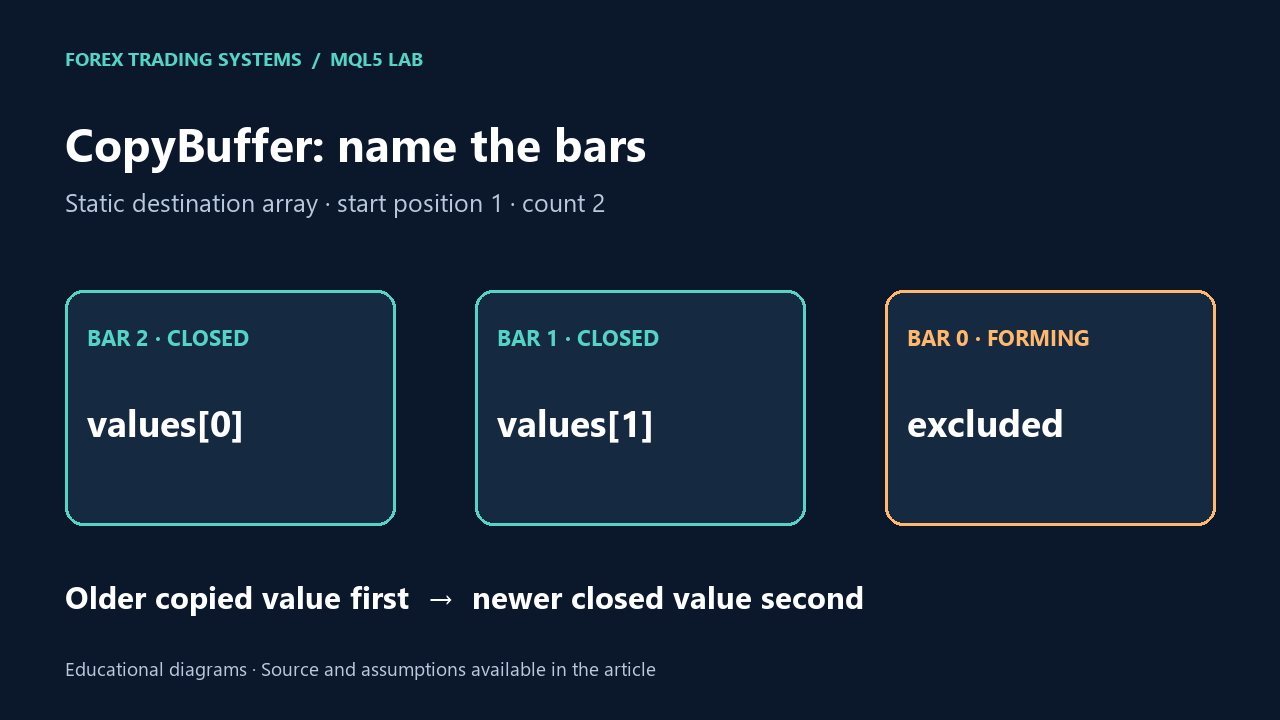
Series Indexing: “Bar 0 is the latest”

In MQL5, price arrays (close[], high[], etc.) are usually provided as series arrays, where:

  • close[0] is the latest bar (most recent)
  • close[1] is the previous bar
  • …and so on

Your indicator buffers should typically be set as series too:

ArraySetAsSeries(BufferMain, true);

However, note that in OnCalculate() the framework already provides price arrays as series. For indicator buffers you create, it’s good practice to set them as series for consistency—especially when you use index [0] for “current bar.”


4. OnCalculate() Explained (Parameters and Efficient Loops)

The signature of OnCalculate() commonly looks like this:

int OnCalculate(
   const int rates_total,
   const int prev_calculated,
   const datetime &time[],
   const double &open[],
   const double &high[],
   const double &low[],
   const double &close[],
   const long &tick_volume[],
   const long &volume[],
   const int &spread[]
)

What the Key Parameters Mean

ParameterMeaningWhy it matters
rates_totalTotal bars availableUpper bound for loops
prev_calculatedBars calculated last timeEnables incremental updates
close[], high[], etc.Price series arraysYour data source

The Performance Rule

Do not recalculate the entire history on every tick. Instead:

  • If prev_calculated == 0, compute everything (first run)
  • Otherwise compute only from prev_calculated - 1 onward (to handle indicator dependencies)

A standard pattern:

int start = (prev_calculated == 0) ? 0 : prev_calculated - 1;

for(int i = start; i < rates_total; i++)
{
   // compute buffers[i]
}
return rates_total;

5. Example #1: “MA Distance Oscillator” (Practical, Simple, Useful)

This indicator measures the distance between price and a moving average and plots it as a histogram in a separate window. It’s useful for mean-reversion work, regime detection, and as a filter for entries.

Indicator Behavior

  • Compute SMA of close with period N
  • Output: close - SMA (optionally in points)

Full Code (Histogram in Subwindow)

//+------------------------------------------------------------------+
//|                                             MA_Distance_Osc.mq5  |
//+------------------------------------------------------------------+
#property strict
#property indicator_separate_window
#property indicator_plots 1
#property indicator_buffers 1

#property indicator_label1  "MA Distance"
#property indicator_type1   DRAW_HISTOGRAM
#property indicator_style1  STYLE_SOLID
#property indicator_width1  2

input int  InpMAPeriod = 50;      // SMA period
input bool InpInPoints = false;   // Output in points

double BufferOsc[];

//--- helper: simple SMA (for educational clarity)
double SMA(const double &close[], int index, int period)
{
   double sum = 0.0;
   for(int k = 0; k < period; k++)
      sum += close[index - k];
   return sum / period;
}

int OnInit()
{
   SetIndexBuffer(0, BufferOsc, INDICATOR_DATA);
   ArraySetAsSeries(BufferOsc, true);

   PlotIndexSetDouble(0, PLOT_EMPTY_VALUE, EMPTY_VALUE);
   IndicatorSetString(INDICATOR_SHORTNAME, "MA Distance Osc (" + IntegerToString(InpMAPeriod) + ")");
   return INIT_SUCCEEDED;
}

int OnCalculate(
   const int rates_total,
   const int prev_calculated,
   const datetime &time[],
   const double &open[],
   const double &high[],
   const double &low[],
   const double &close[],
   const long &tick_volume[],
   const long &volume[],
   const int &spread[]
)
{
   if(InpMAPeriod < 2)
      return 0;

   if(rates_total < InpMAPeriod)
      return 0;

   int start = (prev_calculated == 0) ? (InpMAPeriod - 1) : (prev_calculated - 1);
   if(start < InpMAPeriod - 1) start = InpMAPeriod - 1;

   for(int i = start; i < rates_total; i++)
   {
      double ma = SMA(close, i, InpMAPeriod);
      double value = close[i] - ma;

      if(InpInPoints)
         value = value / _Point;

      BufferOsc[i] = value;
   }

   return rates_total;
}

Practical Notes

  • This version uses a simple SMA function to make the logic clear.
  • For production speed, you would typically compute SMA using running sums or built-in iMA() handles. That is covered later.

6. Plot Configuration: Types, Styles, and Common Combinations

MQL5 supports multiple plot types. Here is a compact reference:

Plot typePropertyTypical use
LineDRAW_LINETrend lines, oscillators
HistogramDRAW_HISTOGRAMMomentum / distance / volume-like metrics
Section lineDRAW_SECTIONSegmented lines with gaps
ArrowsDRAW_ARROWSignals on chart
Colored lineDRAW_COLOR_LINETrend state via color
Colored histogramDRAW_COLOR_HISTOGRAMPositive/negative regime coloring

7. Example #2: Colored Trend Line (Two Buffers: Value + Color Index)

A very common requirement is to draw one line but color it based on trend conditions (e.g., green in uptrend, red in downtrend). In MQL5, colored plots require:

  • Data buffer for the line values
  • Color index buffer indicating which color to use at each bar

Strategy

  • Compute EMA (or SMA)
  • If close > EMA, color index = 0 (e.g., up)
  • Else color index = 1 (down)

Full Code (Colored Line in Main Chart Window)

//+------------------------------------------------------------------+
//|                                           Colored_Trend_EMA.mq5  |
//+------------------------------------------------------------------+
#property strict
#property indicator_chart_window
#property indicator_plots 1
#property indicator_buffers 2

#property indicator_label1 "Trend EMA"
#property indicator_type1  DRAW_COLOR_LINE
#property indicator_width1 2

// Define plot colors via palette indices
#property indicator_color1 clrLime, clrTomato

input int InpEMAPeriod = 50;

double BufferEma[];
double BufferColorIdx[];

//--- EMA calculation (simple iterative)
double CalcEMA(double prevEma, double price, double alpha)
{
   return alpha * price + (1.0 - alpha) * prevEma;
}

int OnInit()
{
   SetIndexBuffer(0, BufferEma, INDICATOR_DATA);
   SetIndexBuffer(1, BufferColorIdx, INDICATOR_COLOR_INDEX);

   ArraySetAsSeries(BufferEma, true);
   ArraySetAsSeries(BufferColorIdx, true);

   IndicatorSetString(INDICATOR_SHORTNAME, "Colored Trend EMA (" + IntegerToString(InpEMAPeriod) + ")");
   PlotIndexSetDouble(0, PLOT_EMPTY_VALUE, EMPTY_VALUE);

   return INIT_SUCCEEDED;
}

int OnCalculate(
   const int rates_total,
   const int prev_calculated,
   const datetime &time[],
   const double &open[],
   const double &high[],
   const double &low[],
   const double &close[],
   const long &tick_volume[],
   const long &volume[],
   const int &spread[]
)
{
   if(InpEMAPeriod < 2) return 0;
   if(rates_total < InpEMAPeriod) return 0;

   double alpha = 2.0 / (InpEMAPeriod + 1.0);

   int start;
   if(prev_calculated == 0)
   {
      // Seed EMA at the first calculable point
      int seed = rates_total - 1; // oldest bar index in series arrays
      // But with series arrays, oldest is rates_total-1
      BufferEma[seed] = close[seed];
      BufferColorIdx[seed] = 0.0;

      start = seed - 1;
      // We will run backwards (from older to newer) because EMA depends on previous EMA
      // In series arrays: decreasing index means moving forward in time (toward latest)
      for(int i = seed - 1; i >= 0; i--)
      {
         BufferEma[i] = CalcEMA(BufferEma[i + 1], close[i], alpha);
         BufferColorIdx[i] = (close[i] >= BufferEma[i]) ? 0.0 : 1.0;
      }
      return rates_total;
   }

   // Incremental update: recalc last few bars
   // Recompute from bar 1 down to 0 using EMA dependency
   int i = 1;
   if(i < rates_total)
   {
      BufferEma[i] = CalcEMA(BufferEma[i + 1], close[i], alpha);
      BufferColorIdx[i] = (close[i] >= BufferEma[i]) ? 0.0 : 1.0;
   }

   BufferEma[0] = CalcEMA(BufferEma[1], close[0], alpha);
   BufferColorIdx[0] = (close[0] >= BufferEma[0]) ? 0.0 : 1.0;

   return rates_total;
}

Why the Loop Looks “Backward”

EMA depends on the previous EMA value. With series arrays:

  • Index increases = older bars
  • Index decreases = newer bars

So if you seed at rates_total - 1 (oldest bar) you can compute toward the present by decrementing the index.


8. Example #3: ATR Bands Indicator (Two Lines + Middle Line + Optional Fill)

Volatility bands are extremely useful for stops, breakouts, regime filtering, and position sizing. This example builds bands around a moving average using ATR.

Band Formula

  • Middle line: MA(close, periodMA)
  • ATR: average true range over periodATR
  • Upper: Middle + Multiplier * ATR
  • Lower: Middle - Multiplier * ATR

True Range Reference Table

ComponentFormula
TRmax(high-low, abs(high-prevClose), abs(low-prevClose))
ATR (simple)SMA of TR over N

Full Code (3 Lines on Chart)

//+------------------------------------------------------------------+
//|                                                    ATR_Bands.mq5 |
//+------------------------------------------------------------------+
#property strict
#property indicator_chart_window
#property indicator_plots 3
#property indicator_buffers 3

#property indicator_label1 "Upper"
#property indicator_type1  DRAW_LINE
#property indicator_width1 1

#property indicator_label2 "Middle"
#property indicator_type2  DRAW_LINE
#property indicator_width2 2

#property indicator_label3 "Lower"
#property indicator_type3  DRAW_LINE
#property indicator_width3 1

input int    InpMAPeriod   = 50;
input int    InpATRPeriod  = 14;
input double InpATRMult    = 2.0;

double BufUpper[];
double BufMiddle[];
double BufLower[];

//--- simple SMA for MA
double SMA_Close(const double &close[], int index, int period)
{
   double sum = 0.0;
   for(int k = 0; k < period; k++)
      sum += close[index - k];
   return sum / period;
}

//--- true range at bar index
double TrueRange(const double &high[], const double &low[], const double &close[], int index)
{
   if(index + 1 >= ArraySize(close)) // for safety; series indexing
      return high[index] - low[index];

   double prevClose = close[index + 1];
   double a = high[index] - low[index];
   double b = MathAbs(high[index] - prevClose);
   double c = MathAbs(low[index]  - prevClose);
   return MathMax(a, MathMax(b, c));
}

//--- simple ATR as SMA of TR
double ATR_Simple(const double &high[], const double &low[], const double &close[], int index, int period)
{
   double sum = 0.0;
   for(int k = 0; k < period; k++)
      sum += TrueRange(high, low, close, index - k);
   return sum / period;
}

int OnInit()
{
   SetIndexBuffer(0, BufUpper, INDICATOR_DATA);
   SetIndexBuffer(1, BufMiddle, INDICATOR_DATA);
   SetIndexBuffer(2, BufLower, INDICATOR_DATA);

   ArraySetAsSeries(BufUpper, true);
   ArraySetAsSeries(BufMiddle, true);
   ArraySetAsSeries(BufLower, true);

   IndicatorSetString(INDICATOR_SHORTNAME,
      "ATR Bands (MA=" + IntegerToString(InpMAPeriod) +
      ", ATR=" + IntegerToString(InpATRPeriod) +
      ", x" + DoubleToString(InpATRMult, 2) + ")");

   return INIT_SUCCEEDED;
}

int OnCalculate(
   const int rates_total,
   const int prev_calculated,
   const datetime &time[],
   const double &open[],
   const double &high[],
   const double &low[],
   const double &close[],
   const long &tick_volume[],
   const long &volume[],
   const int &spread[]
)
{
   if(InpMAPeriod < 2 || InpATRPeriod < 2) return 0;
   int minBars = MathMax(InpMAPeriod, InpATRPeriod) + 2;
   if(rates_total < minBars) return 0;

   int start = (prev_calculated == 0) ? (minBars - 1) : (prev_calculated - 1);
   if(start < minBars - 1) start = minBars - 1;

   for(int i = start; i < rates_total; i++)
   {
      double mid = SMA_Close(close, i, InpMAPeriod);
      double atr = ATR_Simple(high, low, close, i, InpATRPeriod);

      BufMiddle[i] = mid;
      BufUpper[i]  = mid + InpATRMult * atr;
      BufLower[i]  = mid - InpATRMult * atr;
   }

   return rates_total;
}

Practical Notes

  • This computes ATR internally for clarity. For performance, you may switch to a running ATR or use the built-in iATR() handle and CopyBuffer().
  • Band indicators are excellent examples of multi-buffer outputs (upper/middle/lower).

9. Using Built-In Indicators Inside Your Custom Indicator (Handles + CopyBuffer)

Sometimes you want your indicator to reuse a built-in indicator rather than re-implement it. MQL5 supports this with indicator handles, the same way EAs do.

Pattern

  1. Create handle in OnInit() (e.g., iRSI, iMA, iATR)
  2. In OnCalculate() call CopyBuffer(handle, ...)
  3. Release handle in OnDeinit()

Example: Smoothed RSI (RSI + EMA Smoothing)

We’ll compute RSI using iRSI() and then smooth it with a simple EMA in our indicator.

//+------------------------------------------------------------------+
//|                                               Smoothed_RSI.mq5   |
//+------------------------------------------------------------------+
#property strict
#property indicator_separate_window
#property indicator_plots 2
#property indicator_buffers 2

#property indicator_label1 "RSI"
#property indicator_type1  DRAW_LINE
#property indicator_width1 1

#property indicator_label2 "Smoothed RSI"
#property indicator_type2  DRAW_LINE
#property indicator_width2 2

input int InpRSIPeriod     = 14;
input int InpSmoothPeriod  = 10;

int    hRSI = INVALID_HANDLE;
double BufRSI[];
double BufSmooth[];

double CalcEMA(double prev, double value, double alpha)
{
   return alpha * value + (1.0 - alpha) * prev;
}

int OnInit()
{
   SetIndexBuffer(0, BufRSI, INDICATOR_DATA);
   SetIndexBuffer(1, BufSmooth, INDICATOR_DATA);

   ArraySetAsSeries(BufRSI, true);
   ArraySetAsSeries(BufSmooth, true);

   hRSI = iRSI(_Symbol, PERIOD_CURRENT, InpRSIPeriod, PRICE_CLOSE);
   if(hRSI == INVALID_HANDLE)
   {
      Print("Failed to create RSI handle");
      return INIT_FAILED;
   }

   IndicatorSetString(INDICATOR_SHORTNAME,
      "Smoothed RSI (RSI=" + IntegerToString(InpRSIPeriod) +
      ", Smooth=" + IntegerToString(InpSmoothPeriod) + ")");

   return INIT_SUCCEEDED;
}

void OnDeinit(const int reason)
{
   if(hRSI != INVALID_HANDLE)
      IndicatorRelease(hRSI);
}

int OnCalculate(
   const int rates_total,
   const int prev_calculated,
   const datetime &time[],
   const double &open[],
   const double &high[],
   const double &low[],
   const double &close[],
   const long &tick_volume[],
   const long &volume[],
   const int &spread[]
)
{
   if(InpRSIPeriod < 2 || InpSmoothPeriod < 2) return 0;
   if(rates_total < InpRSIPeriod + InpSmoothPeriod + 2) return 0;

   // Pull RSI values for the required range
   // We'll request enough bars to cover calculation; simplest: request rates_total
   if(CopyBuffer(hRSI, 0, 0, rates_total, BufRSI) <= 0)
   {
      Print("CopyBuffer failed for RSI");
      return prev_calculated;
   }

   double alpha = 2.0 / (InpSmoothPeriod + 1.0);

   // Seed smoothing on oldest bar, then move toward latest
   // Oldest in series array is index rates_total-1
   int seed = rates_total - 1;
   BufSmooth[seed] = BufRSI[seed];

   for(int i = seed - 1; i >= 0; i--)
      BufSmooth[i] = CalcEMA(BufSmooth[i + 1], BufRSI[i], alpha);

   return rates_total;
}

This is a real-world pattern: use robust built-in indicator math, then add your custom logic/visualization.


10. Practical Tables: Buffer Mapping and Plot Types

Buffer Mapping (What to Use Where)

SetIndexBuffer() buffer typeWhen to use
INDICATOR_DATAValues that should be plotted
INDICATOR_CALCULATIONSInternal arrays used only for intermediate computations
INDICATOR_COLOR_INDEXPer-bar color selection for DRAW_COLOR_* plots

Common Plot + Buffer Combinations

Plot typeBuffers requiredBuffer roles
DRAW_LINE1data
DRAW_HISTOGRAM1data
DRAW_COLOR_LINE2data + color index
DRAW_COLOR_HISTOGRAM2data + color index
Arrows (DRAW_ARROW)1 (often)arrow “price level” values; use EMPTY_VALUE to hide

11. Avoiding Common Pitfalls (With Fixes)

ProblemSymptomTypical causeFix
Indicator draws nothingEmpty subwindow/chartBuffers not bound or filledEnsure SetIndexBuffer() and write buffer values
Random spikesStrange values on early barsNot enough bars / uninitialized valuesCheck rates_total, set EMPTY_VALUE, start from safe index
Very slow performanceTerminal lagRecalculating entire history every tickUse prev_calculated properly
Wrong direction / inverted logicTrend states reversedMisunderstanding series indexingConfirm which index is “current”; keep arrays series-consistent
Color plot not workingLine stays one colorMissing color index bufferUse INDICATOR_COLOR_INDEX and DRAW_COLOR_* plot type

12. Best Practices for Professional-Grade Indicators

12.1. Validate Inputs Early

If periods are invalid, return gracefully:

if(InpPeriod < 2) return 0;

12.2. Use EMPTY_VALUE to Create Gaps

To hide data on bars where you cannot compute:

Buffer[i] = EMPTY_VALUE;

12.3. Incremental Computation

Always use prev_calculated:

  • Recalculate from prev_calculated - 1
  • Recompute just enough to maintain dependencies

12.4. Keep Heavy Work Out of Tight Loops

If you use handles (iMA, iATR, etc.), prefer CopyBuffer() once per call rather than calling indicator functions inside a loop.


13. Extending Your Indicators: Alerts and Signal Outputs

Indicators often need “signal logic” (crosses, thresholds, divergence markers). A practical approach:

  • Detect signals in OnCalculate()
  • Only trigger alerts on bar close (to avoid spamming on every tick)
  • Maintain internal state to avoid duplicate alerts

A simple technique is to detect when time[0] changes (new bar) and then evaluate signal on bar 1.


14. Summary

Writing custom indicators in MQL5 is a highly leverageable skill: it lets you turn a strategy concept into a tool you can see, test, refine, and ultimately automate.

In this article you learned:

  • How indicator structure works (OnInit, OnCalculate, buffers)
  • How to plot histograms, lines, and colored plots
  • How to compute indicators directly (SMA, EMA, ATR)
  • How to reuse built-in indicators via handles and CopyBuffer()
  • How to write faster, cleaner indicator code using prev_calculated

From here, the most productive next step is to pick one idea you currently use manually (a filter, condition, or visual aid) and implement it as a custom indicator—starting from the patterns shown above.

If you want, I can write a follow-up deep dive article with advanced patterns such as: multi-timeframe indicators, drawing arrows and zones, caching, precision handling for different symbol digits, and exporting indicator signals for EAs.

By Forex Real Trader

Leave a Reply

Your email address will not be published. Required fields are marked *

You May Also Like